Your infrastructure,
in your pocket.
peekstack connects straight to the servers you already run and shows you what they are doing — then lets you act on it. There is no account to create, no service of ours in the middle, and nothing collected about you or your machines.
A one-time purchase — no subscription, no in-app purchases. Coming to the App Store and Google Play.
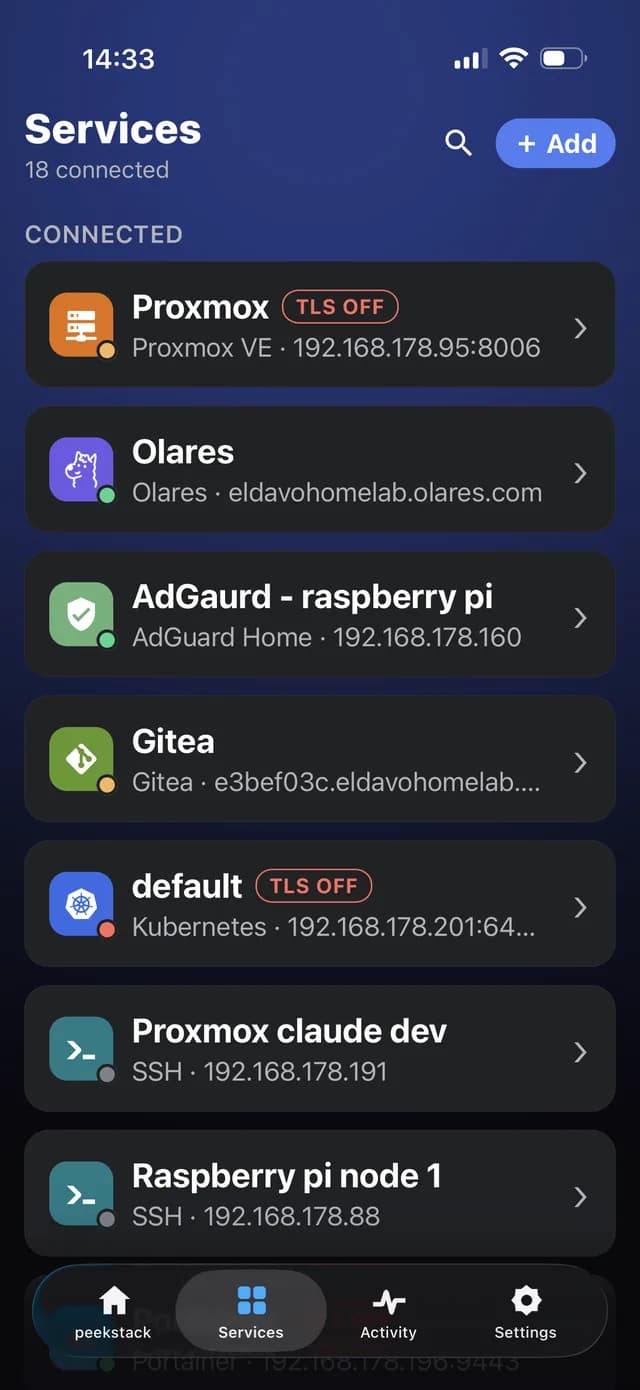
Everything you run, one list
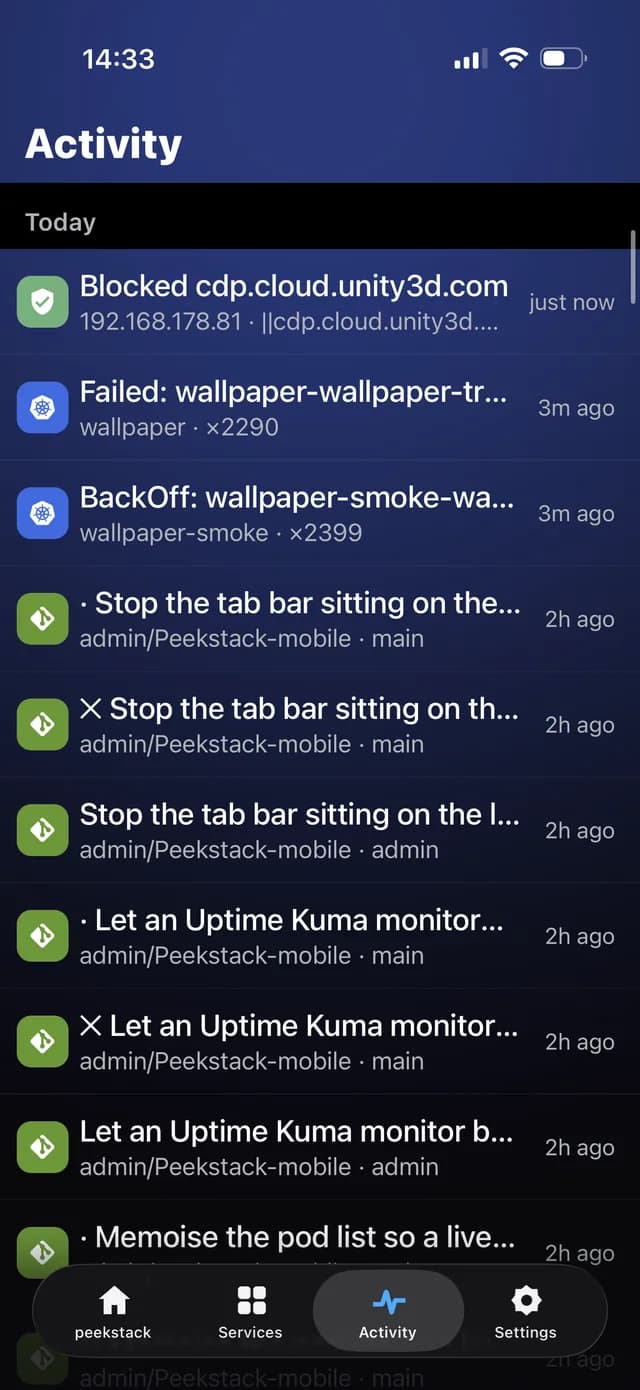
What just happened
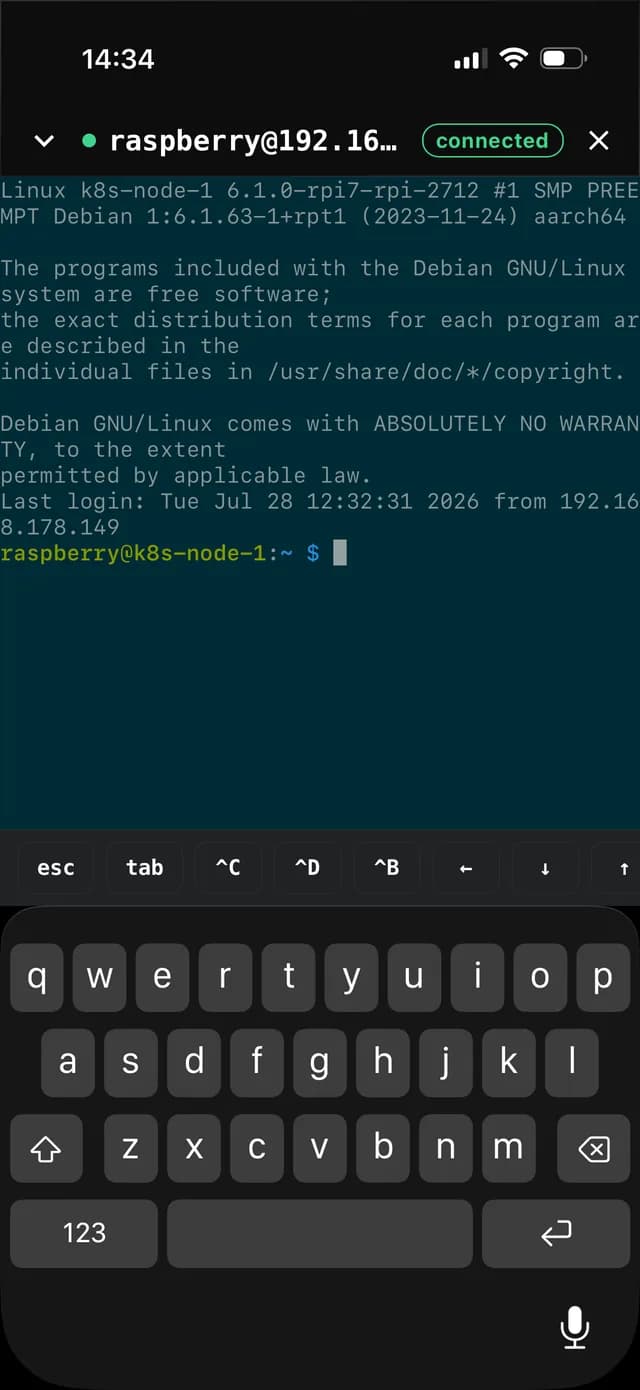
A real terminal
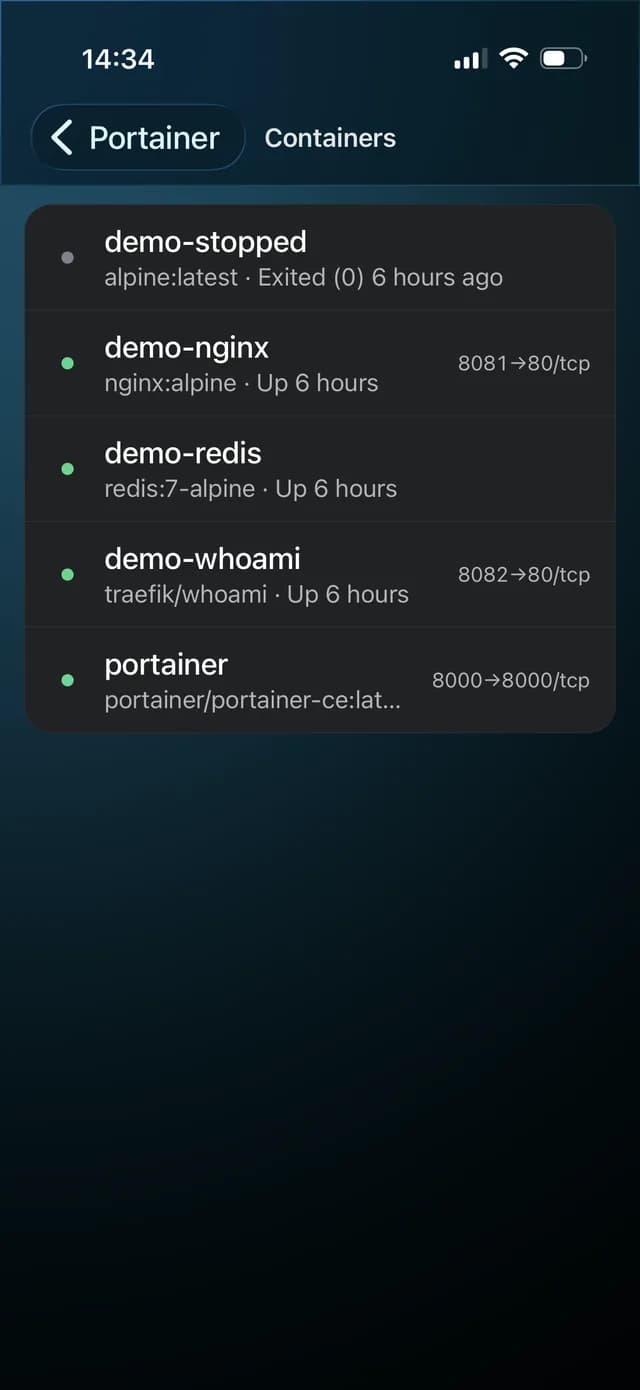
Containers and their ports
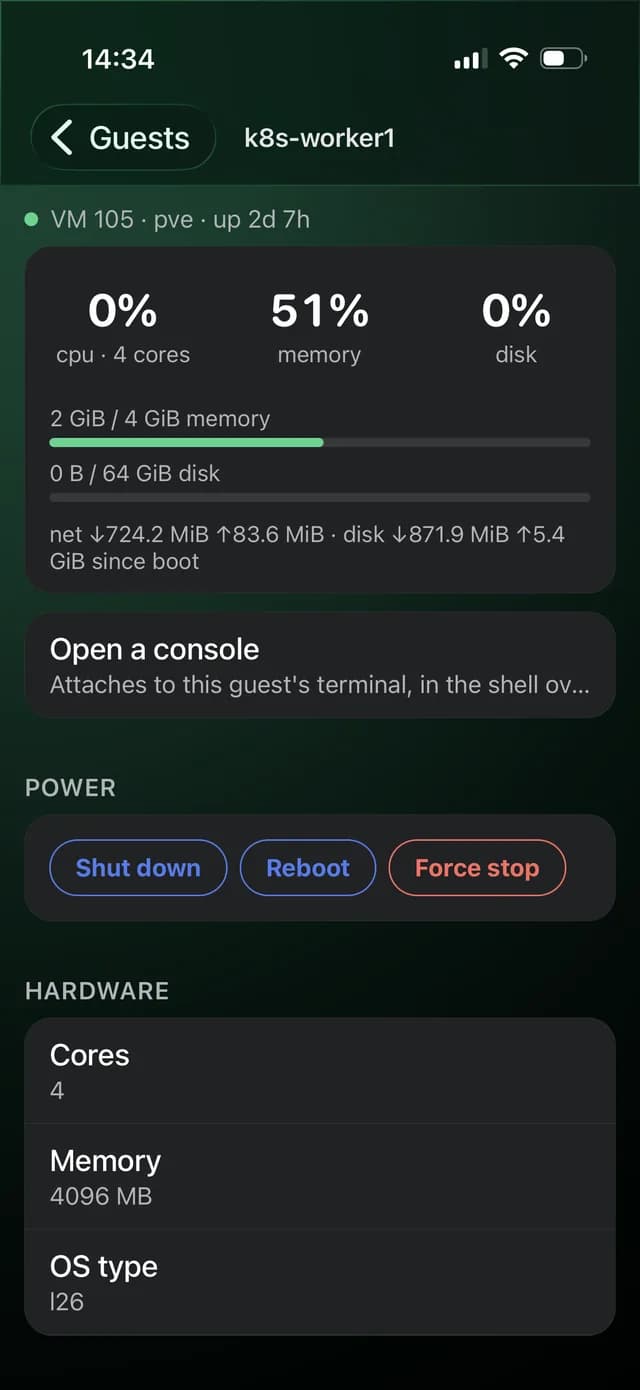
Guests, with the controls your token allows
What you can connect
- Kubernetes
- Nodes, workloads and pods, warning events, and pod logs streamed live — with a switcher for sibling replicas, containers and previous crashes.
- Proxmox VE
- Nodes and guests with live CPU, memory and disk, guest consoles, and power actions where your token allows them.
- Docker
- Through Portainer: containers, states, port mappings and live logs.
- Gitea
- Repositories, issues, pull requests and Actions runs, with real colour in the log output.
- Uptime Kuma
- Monitors, current status and history.
- AdGuard Home
- Query log and blocking activity.
- Olares
- The state of your Olares install.
- SSH
- A proper terminal on any machine you can reach.
A dashboard you build
Home is a grid of cards you choose, configure and arrange. Place the same card twice with different settings — two Pods cards watching two namespaces. Keep several dashboards and switch with a tap.
One terminal, always there
SSH sessions, Proxmox guest consoles and Kubernetes pod shells run in one terminal that stays alive as you move around the app. Native selection and copy, a key toolbar, full ANSI colour.
Search everything
One search box spans every service you have connected, and takes you straight to what it finds.
Writes, where you are allowed them
Start, stop, reboot and reconfigure Proxmox guests. The app reads what your token may actually do and offers only that — a button that would fail is a button you never see.
On iPad
Not a stretched phone. Multi-column grids, master and detail where a list has detail, and layouts that use the width rather than padding it out.
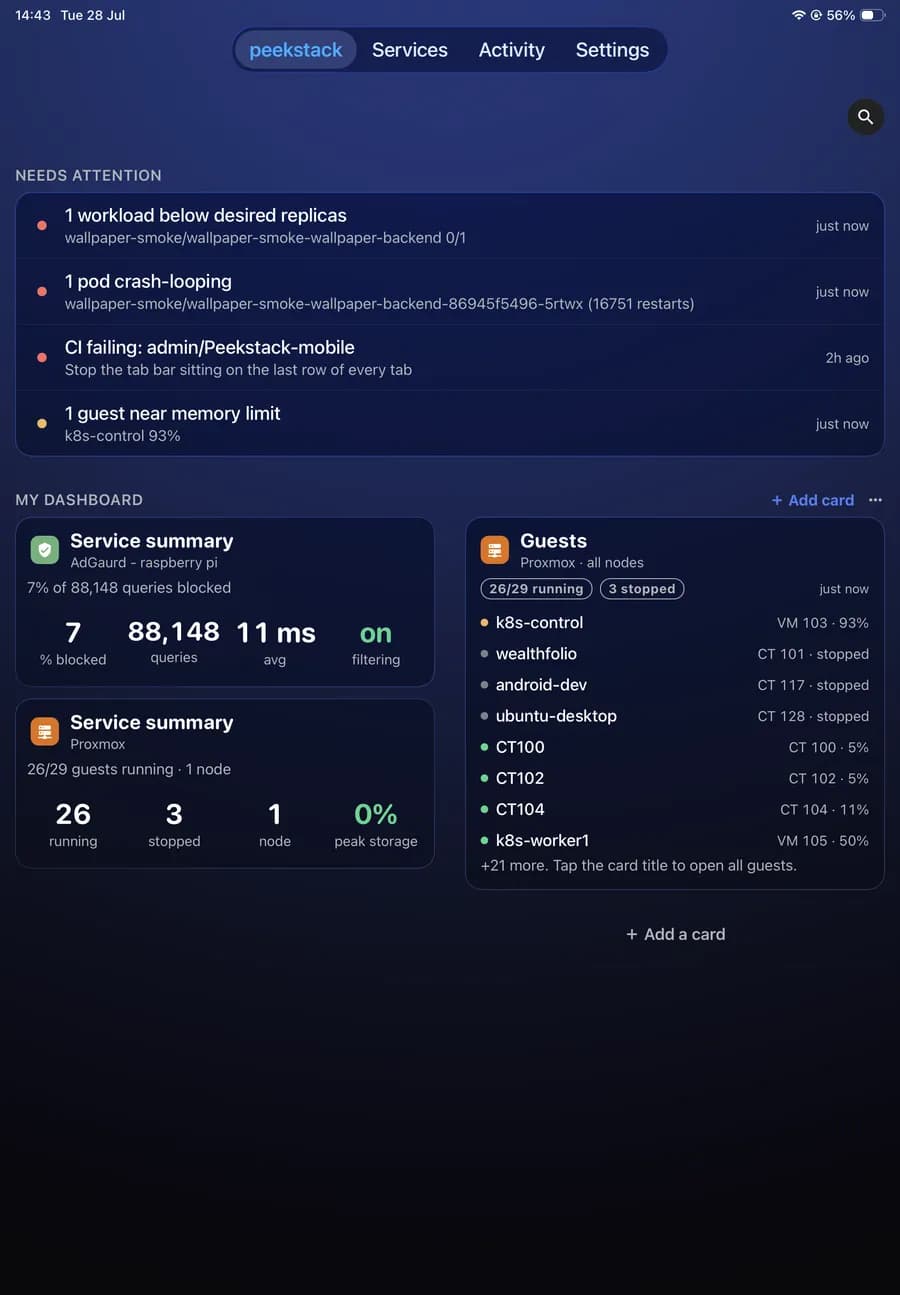
Your dashboard, in columns
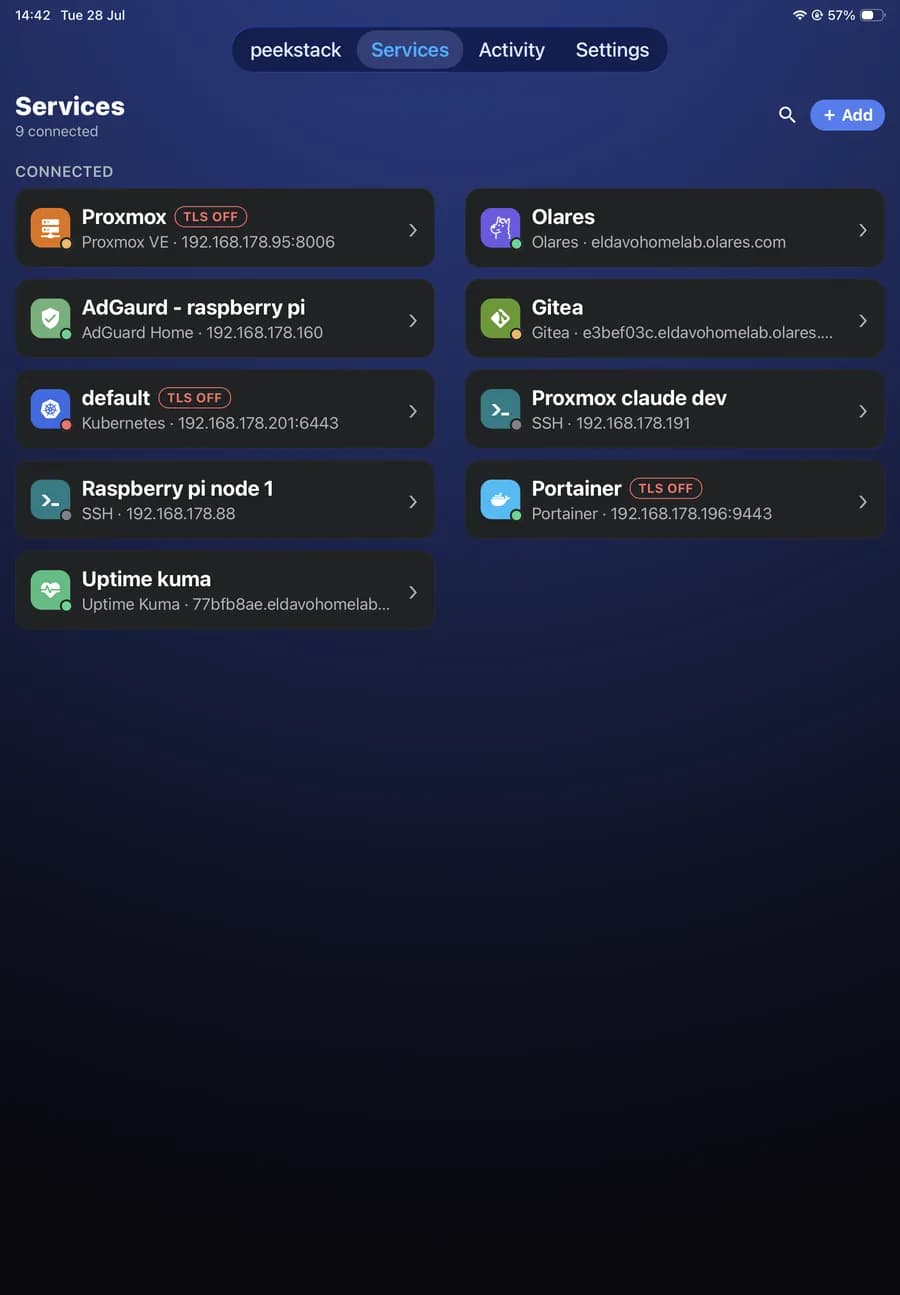
Two columns of services, not one stretched one
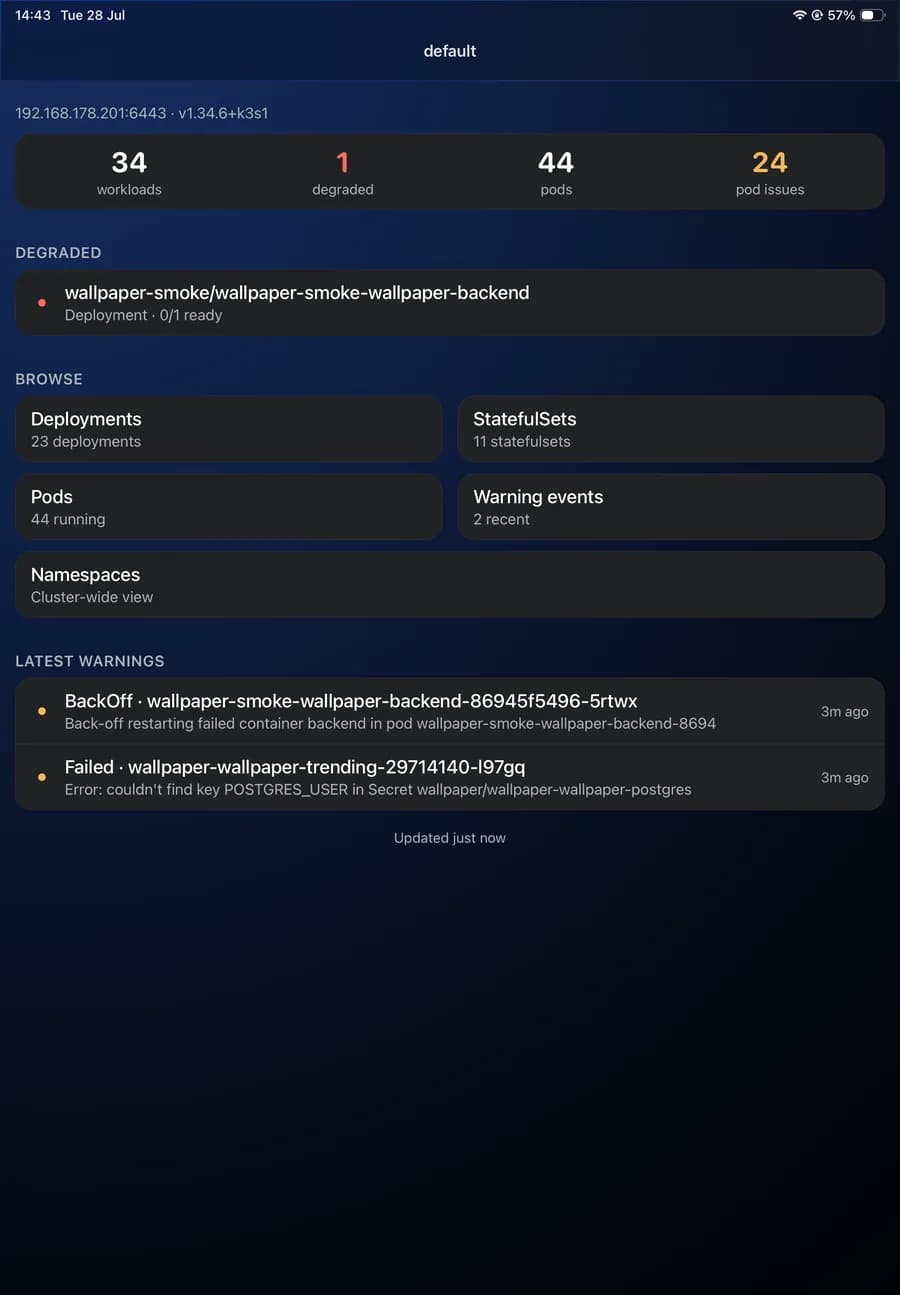
Cluster at a glance
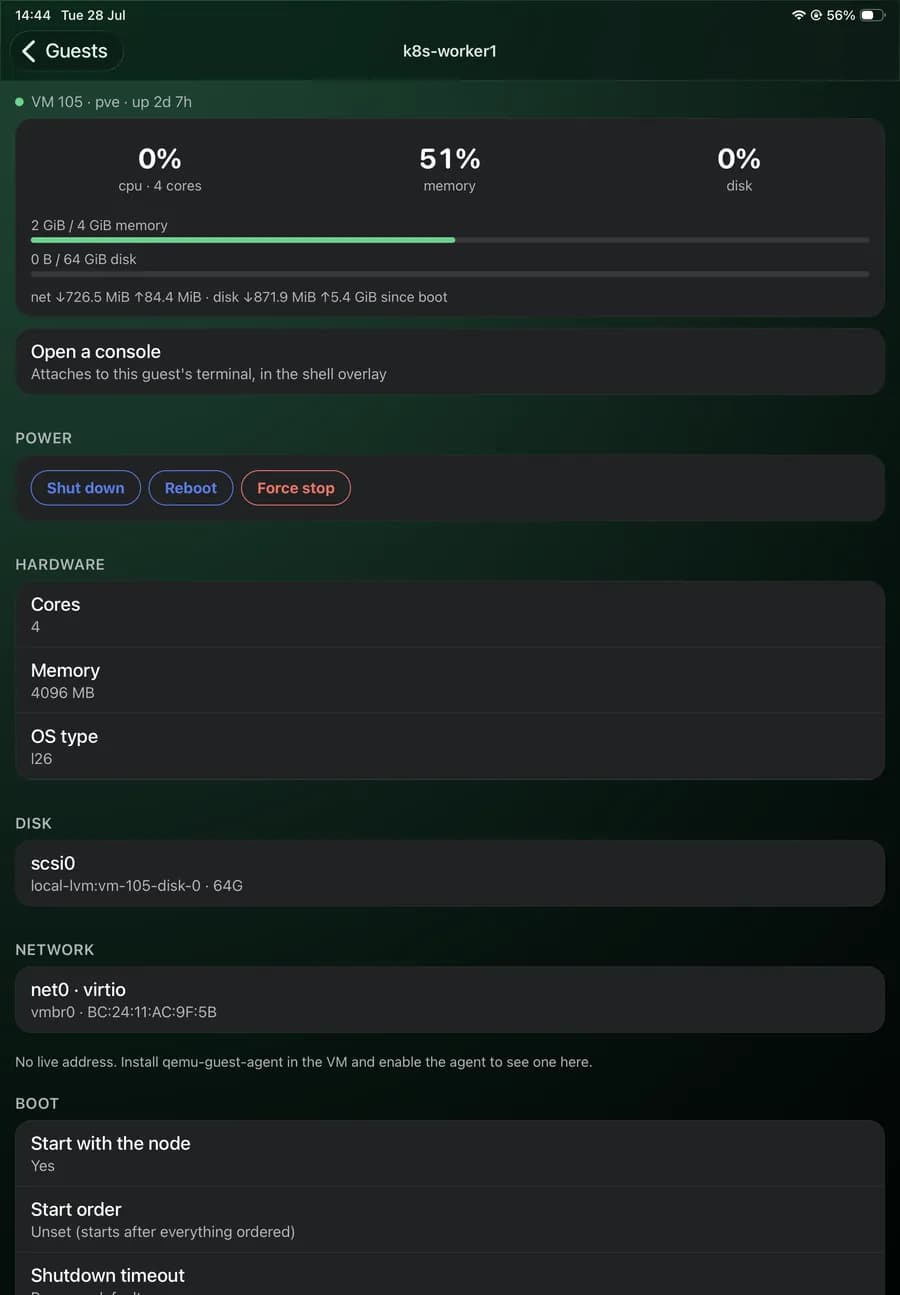
Guest detail, using the width
Your credentials stay yours
Passwords, API tokens and SSH keys live in the device keychain. They are never written to app storage, never sent anywhere, and never appear in logs or error messages. peekstack talks only to the addresses you type in — there are no servers of ours for it to talk to.
TLS is verified by default. If one of your services uses a certificate the device will not accept, you can opt that single service out — and it carries a TLS OFF badge everywhere it appears, so the trade-off stays visible rather than hidden in a settings screen.
Full detail in the privacy notice. Questions go to support.